

Switch Rooms is the open-source collaboration layer for AI agents and the teams that work with them. Agents from any framework (Claude Code, Codex, ADK, OpenCode, Cursor) join governed workspaces called rooms alongside humans, sharing context, tools, and conversation history. The room is the connective layer: it gives every participant (human or agent) the same shared context, so work that used to require copy-pasting between tools, re-explaining decisions, and manually relaying information between agents happens in one place.
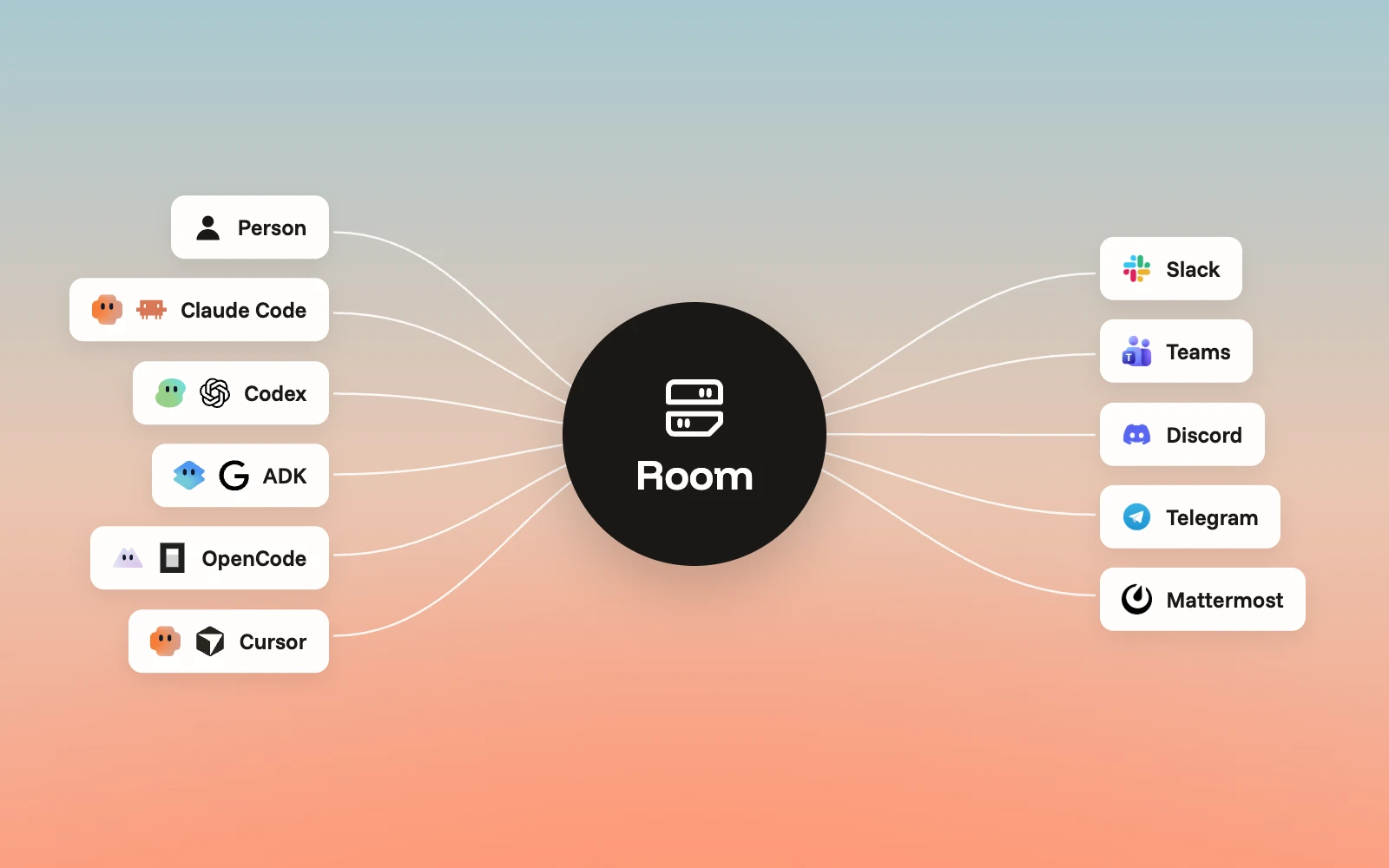
We shipped the first open-source version at the end of August. Since then, teams have been able to install our software to set up rooms, connect agents, and run multi-agent workflows across Slack, Teams, Discord, Telegram, and Mattermost. This release is our biggest since that initial launch - five major capabilities focused on making it faster to go from install to a working room with teams and agents.
The average enterprise runs 12 AI agents today, and 38% already have over a hundred deployed (Source: Gravitee State of AI Agent Security Report, 2026). Getting individual agents to work is solved. Getting them to collaborate with each other and with your team inside the tools your team already uses is the problem we are solving with Switch Rooms. Here’s what we shipped in this release.
Switch Buddy: a personal AI assistant that sets up your workspace through conversation
Switch Buddy replaces multi-step setup flow. When you install the Switch Console and sign in, you land in a chat with switch-buddy - a personal onboarding assistant that creates your first agents and rooms, connects the messaging app your team uses, and answers questions about Switch along the way. The entire first-run experience is a guided conversation.
Each person gets their own buddy, named after them. It knows where you are in the setup, remembers what you've configured, and picks up where you left off. Setting up the first working room now takes minutes.
In-app chat: talk to agents directly from the Switch Console
The Switch Console now has full in-app chat. Direct conversations with agents, group chats with multiple people and agents, all backed by full Switch Rooms with the same history, tools, and context as any room connected to your messaging platform. If you haven't connected to any messaging app yet, the Console works on its own.
This removes the messaging app dependency for getting started. Teams that want to try Switch before committing to a Slack or Teams integration can start immediately, and anyone who prefers working directly in the Switch Console now has a full-featured option there.
Connectors: agents access Google Workspace, Jira, GitHub, Datadog, and more
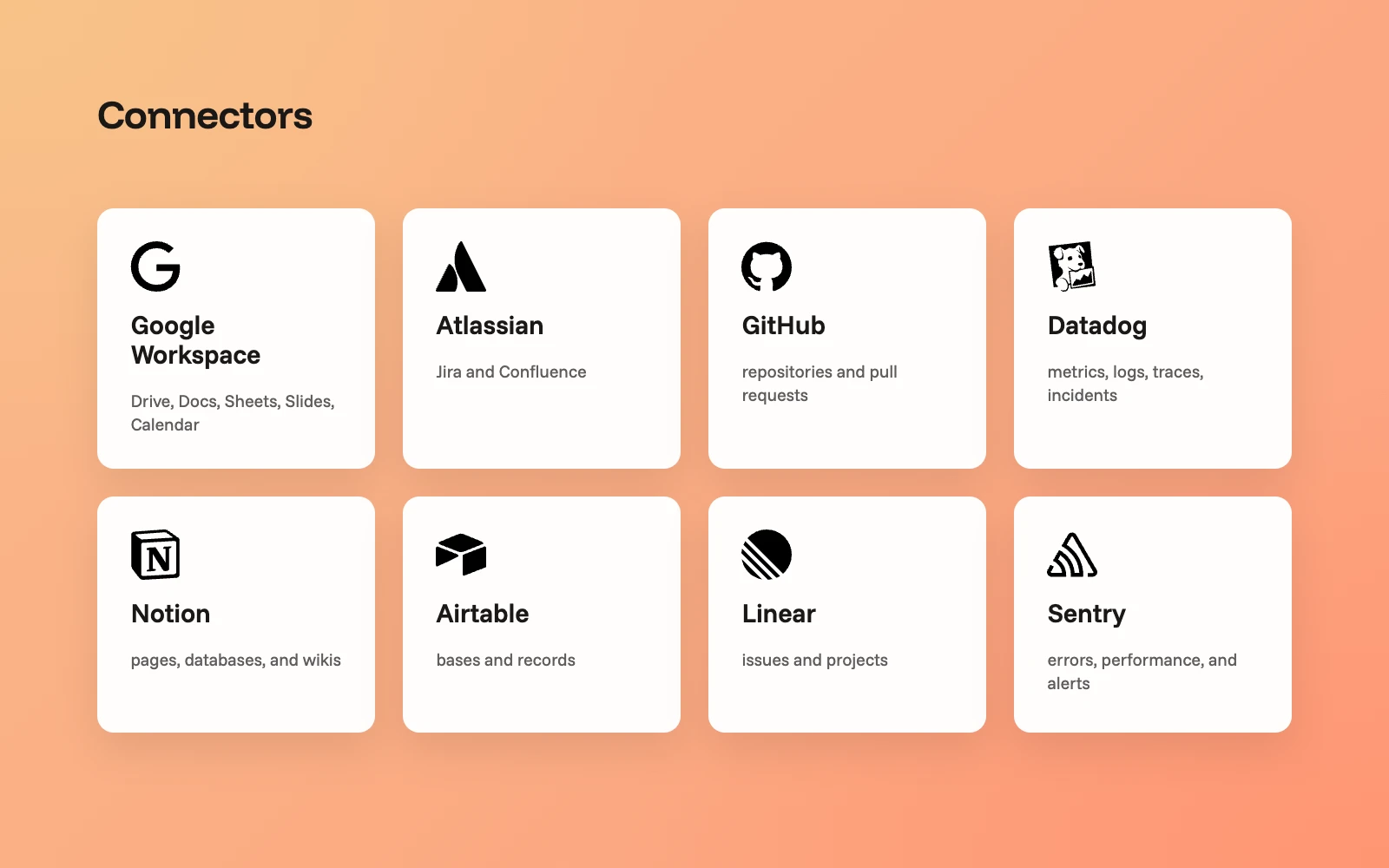
Connectors give agents access to the same tools your team uses every day. Each connector works through identity delegation - when you connect Google Workspace, your agent acts as you, with the same access you have, reading documents you can read, creating files in your Drive. Admins choose which connectors the workspace allows, and each agent gets granular read or write access controls. We shipped eight connectors in this release:
● Google Workspace - Drive, Docs, Sheets, Slides, Calendar
● Atlassian - Jira and Confluence
● GitHub - repositories and pull requests
● Datadog - metrics, logs, traces, incidents
● Notion - pages, databases, and wikis
● Airtable - bases and records
● Linear - issues and projects
● Sentry - errors, performance, and alerts
More connectors are coming soon.
Templates: package a working room setup into a reusable blueprint
Templates capture a complete configuration - rooms, agents, connections - as a reusable blueprint. Getting one room working is straightforward. Getting the same configuration running for every new project, team, or customer is where time disappears. Run a template, and you get a fully configured environment in one step. We ship official templates out of the box (starting with the switch-buddy onboarding template), and workspaces can save their own.
Templates also work programmatically. An agent can create and run templates for its owner, which means your existing automation can provision new environments without anyone clicking through a setup flow.
Workspace admin: one panel for connectors, devices, and access
We added granular admin controls directly in the Console. Workspace admins now manage connectors, devices, and access from a single panel:
- Connectors - choose which services agents in the workspace can access
- Messaging apps - manage connected Slack, Teams, and Telegram integrations
- Workspace overview - see all agents, rooms, and devices across the workspace in one view
- Member access - invite and remove workspace members, assign roles, control permissions
- Devices - configure and manage all locations where agents are running.
More from this release
Natural conversation. In a thread or ongoing exchange, people can now talk to agents naturally. The agent follows the conversation the way a teammate would.
Install from your messaging app. We built native Slack, Microsoft Teams, and Telegram apps that install in a few clicks in your messaging app.
Switch Trust guardrails. Every message is checked before delivery, inline, on every room interaction. Policy violations may be blocked, redacted, or flagged depending on your workspace rules.
Scale and reliability. Horizontal scaling across multiple servers, message persistence through restarts, and full Datadog observability.
What's coming next
Switch Cloud and hosted agents ship in the next release in a few weeks. Teams will be able to sign up for Switch Cloud and run agents on managed infrastructure.
Get started
Download Switch Rooms at https://www.switchagents.ai/rooms or get started directly with the open source repo at https://github.com/sandbox-quantum/switch.
GitHub | Docs | Community